
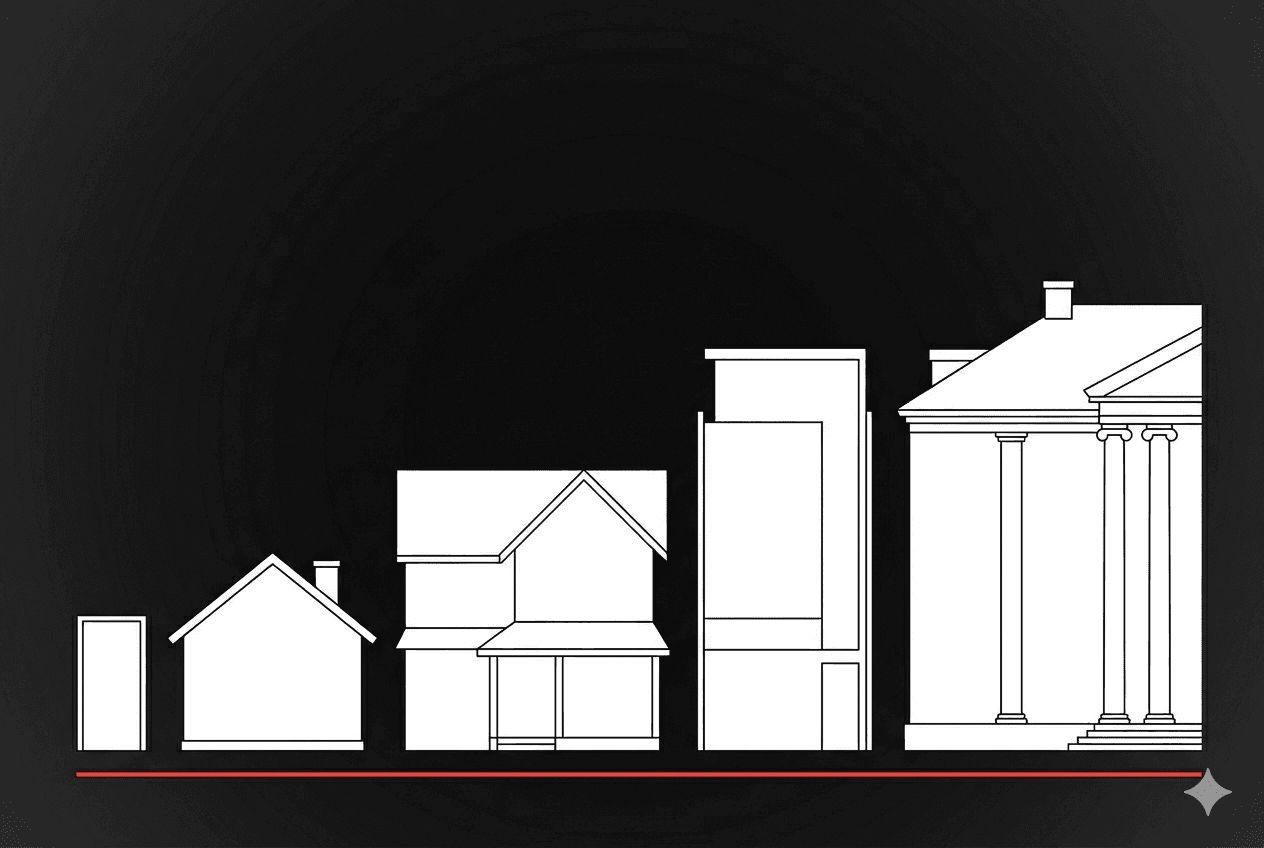
A week ago, I published AI Real Estate.
The framing was simple: the AI you use today is rented — like an apartment. There's a ladder above it. Most people don't know the ladder exists.
The response was the part I didn't expect.
Dozens of people messaged me with versions of the same question.
I read it. I get it. I want out. Where do I actually start?
Some were lawyers. Some were founders.
Some were accountants and consultants and clinic owners.
None of them knew what a GPU was.
Most didn't know what an open-source model was.
A few weren't sure what "private AI" meant in practice — could you really run something on your desk that did what ChatGPT did?
Yes. You can.
And the gap between you and that machine on your desk is mostly vocabulary.
This is the post that closes that gap.
By the end you'll know what to buy, what to install, what model to run, and how to protect it.
Even if you've never thought about hardware before in your life.
If you're already paying somewhere between $20 and $20,000 a month to OpenAI or Anthropic, this is for you.
The four words you need to understand
Before what to buy, four words.
If you understand these, you can read any AI post on the internet and follow along.
GPU
Graphics Processing Unit.
A chip originally designed to draw video game graphics, which turned out to be excellent at the kind of math AI models need.
When you ask ChatGPT a question, the answer is being computed on a GPU somewhere in a datacenter.
The GPU is the muscle.
Bigger and newer means faster answers and bigger models supported.
Three categories you'll encounter:
- Apple Silicon — chips Apple builds into Macs.
- M3 Ultra, M4 Pro, M4 Max.
- Low power. Quiet.
- Run AI models on your desk without sounding like a leaf blower.
- Tops out around 256GB of unified memory on the M3 Ultra Mac Studio, which is enough to run very serious models.
- Consumer NVIDIA — desktop graphics cards.
- RTX 4090, RTX 5090.
- Loud, hot, powerful. The hobbyist's path.
- Pricing has gotten weird in 2026 (more on that below).
- Datacenter NVIDIA — the heavy iron.
- H100, H200, B200.
- $25,000 to $40,000+ each.
- What hyperscalers buy.
- What you'd put in a colocation facility.
- What OpenAI is running.
You don't need to memorize the names.
You need to know that "GPU" means "the thing doing the work" and that there are three rough sizes of it.
Parameters
When people say "Llama 4 Scout 17B," the 17B means 17 billion active parameters.
A parameter is one of the numbers the model uses to think.
There's a wrinkle worth understanding.
The newest open-source models — Llama 4, Qwen 3.5, Qwen 3.6 — use a Mixture-of-Experts (MoE) architecture.
MoE, Simplified
Think of it like a specialist clinic with 100 doctors on staff.
Every patient visit only pulls in the two doctors with the right specialty — not all 100.
The whole staff is on payroll (that's total parameters).
Each visit only uses a slice (that's active parameters).
Llama 4 Scout has 109B doctors on staff and 17B working any given case.
That's why it runs with the memory and speed profile of a much smaller dense model.
They have huge total parameter counts (Scout is 109B total) but only activate a fraction per token (17B).
A 109B-class model now runs with the memory and speed profile of a much smaller dense model.
The economics of self-hosting are dramatically better than they were a year ago.
Model Sizes
The sizes you'll encounter:
- 3B–8B — small dense models.
- Run on a laptop. Surprisingly good for general use.
- 27B–35B — getting serious.
- Needs Apple Silicon with 64GB+ memory, or a real GPU.
- 70B–122B (dense or MoE) — large.
- Needs a Mac Studio or NVIDIA hardware.
- 400B+ MoE — frontier.
- Mac Studio at high memory or datacenter GPUs.
Here is the part vendors do not advertise:
A 17B-active MoE model in April 2026 outperforms the 70B dense models from eighteen months ago.
Open-source is catching up to frontier models faster than frontier models are improving.
Don't buy hardware for the biggest model. Buy hardware for the smallest model that solves your problem.
The model will get smarter for free over the next year. Your hardware won't.
Model
The actual AI. The trained brain.
Not all models are equal — they're trained on different data with different goals.
The major open-source families:
- Llama (Meta) — strong general purpose, biggest community, easiest to find help with. Llama 4 Scout/Maverick are the current generation.
- Qwen (Alibaba) — strong on coding and multilingual, excellent at the small-to-medium sizes. Qwen 3.5 and Qwen 3.6 are the current generation.
- Mistral (French) — efficient, well-suited if you want a European jurisdictional story.
- DeepSeek — strong reasoning, popular for analytical work.
- gpt-oss (OpenAI) — yes, OpenAI now ships open-weight models too. The 120B variant is competitive with mid-tier closed models.
Don't optimize for the leaderboard. Optimize for what you actually do.
Stack
The software around the model.
The model is the brain; the stack is the body, the eyes, the mouth.
It's what lets you actually talk to the model and use it.
The pieces you'll need:
- Ollama — free software that runs models on your computer.
- Easiest entry point. Command-line, but the commands are short.
- LM Studio — graphical version of Ollama.
- Click instead of type. Best if "command-line" sounds intimidating.
- OpenWebUI — chat interface that looks and feels like ChatGPT, but runs locally and talks to your model. Free.
- vLLM — production-grade inference server.
- What you'd run at the colo tier. Skip this if you're starting out.
- Tailscale — secure private network.
- Lets you access your AI at home from your phone, your laptop, anywhere. Free for personal use.
The whole stack is open source and free. There is no vendor selling it as a bundle.
That is not a bug. It is the entire point.
No one has an incentive to package this for you, because there's no monthly subscription to charge.
That's the vocabulary. Four words. Now the buying decision — but first, two things you need to know about the moment you're buying in.
What changed in April 2026
Two things shape every recommendation below.
The first is supply.
A global memory chip shortage — driven by datacenter buildout for AI — is hitting every layer of consumer hardware in 2026.
Mac Mini base models are sold out at Apple.
Mac Studio shipping delays run 3 to 12 weeks.
RTX 5090 cards that launched at $1,999 MSRP are selling for $3,500 to $5,000+.
eBay markups on Mac Minis run 20–60%.
Even DigitalOcean's Toronto GPU instances are sold out as of writing.
None of this is permanent.
But it shapes the buying decision today, and I'll flag it tier-by-tier as we go.
The second is more strategic.
On April 8, Meta launched Muse Spark — their first closed-weight AI model.
The weights are not released. There is no open-source download.
It's available only on meta.ai.
To understand why this matters, consider what Meta has spent three years building.
Llama 1 (2023), Llama 2 (2023), Llama 3 (2024), and Llama 4 (2025) positioned Meta as the institution that would keep frontier AI accessible to developers who couldn't afford OpenAI or Anthropic pricing.
Muse Spark abandons that positioning entirely.
The signal is that competitive pressure from OpenAI, Anthropic, and Google reached a threshold where Meta concluded that open-sourcing frontier weights was no longer commercially viable.
Alibaba is moving the same direction — Qwen 3.5-Omni and Qwen 3.6-Plus are also closed.
If you built your stack on the assumption that Meta's best models would always be free, reread that.
The companies you rent from today are not the companies you'll be renting from in five years. Some of them are starting to close the door already.
That's the urgency. Now the tiers.
Pick your tier
You met these in AI Real Estate. Now I'm going to tell you exactly what to buy at each level, what model to run on it, and what you actually get.
Tier 0 — The apartment (where you are now)
Cost: $20 to $20,000+ per month, depending on whether it's ChatGPT Plus, Claude Pro, or an enterprise API contract.
What you have:
Convenience. Speed. The frontier models. Polished interfaces.
What you don't have:
Ownership. Privacy. Price stability. Recourse when terms change.
Stay here if your AI use is casual personal — random questions, drafting emails, coding help on non-sensitive projects. The apartment is fine for that.
It is not fine if you handle client data, privileged communications, financial records, or anything you'd be uncomfortable seeing leaked.
If you're past that line, keep reading.
Tier 1 — The starter house ($999 to $1,400 one-time)
What to buy: A Mac Mini M4.
The original entry point here was the $599 base model.
As of late April 2026, that's sold out at Apple — and showing up on eBay at $700–$925 depending on configuration.
The realistic entry points right now are the $999 model with 24GB memory and 512GB SSD, or the $1,399 M4 Pro at the top of the line.
If you can wait, the M5 Mac Mini is rumored for mid-2026 and may resolve the shortage. If you can't wait, eBay markups are real but not crazy.
What to install: Ollama.
Free download. Once installed, type ollama pull qwen3:8b and you have a working AI in three minutes.
Add OpenWebUI for a chat interface that looks like ChatGPT.
What model to run:
Qwen 3 8B for general use. Llama 3.2 8B if you prefer Meta's lineage.
Both run smoothly on a 16GB or 24GB Mac Mini.
What you get:
A working private AI on your desk that costs nothing to run after you bought the box.
Power consumption is roughly 30 watts under load — about a third of a light bulb. Quiet enough to sit on your desk.
Good for:
Solo work. Personal experiments. Drafting. Coding help. Asking questions about documents you don't want sent to a third party.
Not good for:
Big context windows. Heavy reasoning tasks. Multiple users hitting it at once. Anything that needs the latest frontier capability.
Total time to set up: under an hour, including downloading the model.
This is the floor. Buy it if you've never run a private AI and want to know what it actually feels like before you spend more.
The first night you talk to a model that lives on your desk is a different experience than reading about it.
Tier 2 — The family house ($3,999 to $11,000 one-time)
What to buy: A Mac Studio.
The M3 Ultra config with 96GB unified memory starts at $3,999.
Maxed out at 256GB it's around $9,999 to $11,000 depending on storage.
This is the tier I'm currently operating at.
I ordered the M3 Ultra with 96GB earlier this month. It ships in June.
A note on supply: current Mac Studio delivery times run 3 to 4 weeks for entry configs and 10 to 12 weeks for higher-memory builds.
Some 128GB and 256GB configs are temporarily unavailable. Plan accordingly.
What to install:
Ollama with OpenWebUI, plus Tailscale so you can use it from anywhere.
The Mac Studio sits in your office. Tailscale gives it a private secure address.
Your laptop and phone connect through Tailscale and the AI behaves as if it lives in your pocket.
What model to run:
At 96GB you can run Qwen 3.5 27B comfortably and Llama 3.3 70B at quantization.
At 192GB or 256GB you can run Llama 4 Scout (109B total / 17B active MoE) natively, plus Qwen 3.6 35B-A3B with thinking mode enabled.
The numbers will keep growing as open-source improves and quantization techniques get better.
What you get:
A serious, multi-user-capable private AI that lives in your office.
Power draw under load is around 220 watts — about three light bulbs.
Quiet enough to keep in a normal room with humans.
Good for:
A small team. A solo operator who wants serious capability.
A professional handling client data.
The model size at this tier is good enough that for many real use cases, the gap between this and ChatGPT is no longer the gap that matters.
Not good for:
Scale beyond a small team without rethinking.
Redundancy if your office loses power.
Workloads that require multiple models running simultaneously.
This is the practical stopping point for most solo founders, professionals, and small teams.
If you don't need the next two tiers, this is your destination.
Tier 3 — The rented house ($500 to $5,000 per month)
What to rent: a bare-metal GPU server in a jurisdiction you choose.
The providers worth looking at:
- DigitalOcean — Toronto, New York, Atlanta datacenters.
- NVIDIA H100, H200, L40S, plus AMD Instinct MI300X, MI325X, and the newer MI350X.
- Easy onboarding and HIPAA-eligible.
- Caveat: Toronto GPU droplets are sold out as of writing — call sales for a contract slot, or use New York or Atlanta if you don't strictly need a Canadian footprint.
- Hetzner — German.
- Best price-per-performance in Europe.
- OVHcloud — French and Quebec footprint.
- Strong for European or Canadian sovereignty plays. Beauharnois is the Canadian datacenter.
- Lambda Labs — US-based.
- Strong NVIDIA selection. On-demand and reserved.
What to install:
vLLM as your inference server (it handles concurrent users much better than Ollama at this scale). OpenWebUI as the chat interface. Tailscale for access.
What model to run:
Whatever fits the GPU you rented.
With an H100 (80GB) you can run 70B+ dense models or Llama 4 Scout comfortably.
With an MI300X (192GB) you can run Llama 4 Maverick or large MoE models including gpt-oss 120B.
With smaller cards, stay in the 13B–32B range.
What you get:
Sovereignty without capital expense.
You pick the jurisdiction. You control the entire software stack.
Nothing proprietary touches the machine.
If your provider raises prices, you migrate to another in a weekend.
Good for:
A growing business that doesn't want to commit capital to hardware yet.
A law firm or clinic that needs jurisdictional control but doesn't want a server in the office.
A team that needs more capacity than a Mac Studio can provide.
Not good for:
Long-term cost optimization.
Once your monthly spend exceeds about $5,000, the math starts pointing at Tier 4. And you're still renting.
This is where most professional services firms should start. Not because it's the best — but because it's the lowest-friction path from "API user" to "stack owner."
Tier 4 — The mansion ($25,000 to $50,000 hardware + $1,000 per month)
What to buy: NVIDIA hardware.
An H100 PCIe 80GB runs $22,000 to $33,000 new, or $12,000 to $22,000 used.
An H100 SXM5 runs $35,000 to $40,000+.
An H200 (141GB HBM3e, much faster for inference) is $30,000 to $50,000+.
The B200 Blackwell generation has started shipping at $30,000 to $50,000.
The RTX 5090 was originally on this list as the consumer-grade entry to Tier 4.
Want the full playbook? I wrote a free 350+ page book on building without VC.
Read the free book·Online, free
At $1,999 MSRP it would have been a serious value play.
Don't believe MSRP in 2026.
Street prices on the 5090 are $3,500 to $5,000+ due to the same memory shortage hitting Macs.
At those prices the value gap to a used H100 has closed considerably. Run the math at the moment you buy.
Then ship the hardware to a colocation facility — a building in your city built specifically to house servers, with redundant power, industrial cooling, dual-carrier internet, and physical security.
They rent you a rack. You ship them the hardware. They install it.
You SSH in from anywhere.
What to install:
vLLM, OpenWebUI, Tailscale, plus monitoring (Grafana and Prometheus, both free).
What model to run:
Anything you want. At this tier, your hardware is the constraint, not your software.
What you get:
Full ownership.
Full jurisdictional control.
Full elimination of monthly platform fees.
The chip lasts five-plus years for inference workloads.
The colo bill is roughly $1,000 a month for a basic rack.
The math:
Roughly $35,000 for the first year all-in on a single H100 setup ($25K used GPU + chassis/networking + $12K colo).
$12,000 a year after that.
Compare to $25,000 to $35,000 a year on AWS for 24/7 H100 capacity, or up to $44,400 at on-demand rates.
The mansion pays for itself in roughly twelve to eighteen months at moderate use, faster if you're already paying enterprise API fees.
Good for:
A serious operation that has decided AI is a permanent infrastructure cost they want to own, not rent.
Anyone with regulated client data in a regulated jurisdiction. Anyone who has run the math on their current OpenAI bill and felt sick.
Not good for:
Anyone who thinks of AI as an experiment.
Anyone whose use case doesn't justify the upfront capital. Anyone unwilling to do basic system administration (or hire someone who will).
I'm not at this tier yet.
I'm planning the move for later this year. The colo is fifty steps from my office.
My recommendations by who you are
Solo founder, consultant, or creator.
Start at Tier 1. The $999 24GB Mac Mini is the realistic entry point right now.
You'll know within a week whether you actually use it.
If you do, upgrade to a Mac Studio at Tier 2.
Most of you will never need to leave Tier 2.
Law firm, accounting practice, medical clinic, financial advisory.
Start at Tier 2. Buy the Mac Studio. Put it in the office.
Run Tailscale so the team can use it remotely.
Within six months, evaluate Tier 3 if you're approaching capacity.
Skip Tier 4 unless you grow significantly.
Mid-size agency, growing SaaS, fintech, operations team of 10–50.
Start at Tier 3.
Rent a bare-metal GPU in your jurisdiction.
Within twelve months, do the math on Tier 4 and migrate if it pays off.
Most of you should end up there within eighteen months.
Enterprise, regulated industry, anyone with audit obligations.
Tier 3 plus Tier 4 hybrid.
Tier 3 for elastic capacity, Tier 4 for the workloads you can plan around.
Don't try to do this all on Tier 4 from day one.
Build the operational muscle on rented hardware first.
The pattern across all of these: start lower than you think you need.
The vendors at the tier above you are very good at convincing you that you need to be there.
You probably don't, yet. Climb when you have evidence, not when you have anxiety.
What "protect my AI" actually means
The blunt version first.
If you're a lawyer using ChatGPT for client work without a defensible privacy posture, you're probably violating your professional obligations.
Most lawyers I've talked to have not thought this through. The Tier 2 Mac Studio in your office solves it for under $10,000.
That should be sobering.
It's true for accountants under client-confidentiality obligations.
True for clinicians under HIPAA, PIPEDA, or PHIPA.
True for advisors handling regulated financial data.
The tooling has caught up; the professional standards have not.
The first wave of compliance enforcement on this is coming.
Now the framework.
Privacy in AI breaks into three layers. Most people only think about the first.
Layer 1: Data residency.
Where do the bits physically sit?
On Tier 0 (ChatGPT) they sit in OpenAI's datacenters, governed by U.S. law.
On Tier 1–2 (Mac on your desk) they sit on your Mac, governed by where you live.
On Tier 3 (rented bare-metal) they sit in the provider's datacenter, in the jurisdiction you chose.
On Tier 4 (your colo) they sit on your hardware, in your jurisdiction.
This matters most for regulated data — health (HIPAA in the US, PIPEDA and PHIPA in Canada, GDPR in Europe), legal (privilege), financial (various regulations by sector).
If your client data is covered by any of these, Tier 0 is risky and Tiers 2–4 are the answer.
Layer 2: Access control.
Who can talk to your AI?
On Tier 0, anyone with your password.
On Tier 1–4, by default only you on your local network — but the moment you add Tailscale or open a port, the question gets real.
Use Tailscale. Don't open ports to the public internet.
Set up basic authentication on OpenWebUI.
None of this is hard. All of this is necessary.
Layer 3: Audit trail.
Can you reconstruct what was asked and answered?
OpenWebUI logs conversations by default.
Ollama doesn't log unless you wire it up.
If you're handling regulated client data, you need an audit trail — both for your own compliance and for the moment you have to prove what your AI did or didn't do.
For personal use, only Layer 1 really matters.
For client work, all three matter.
For regulated industries, all three are mandatory and you should think hard about whether your current setup actually meets your obligations.
Your action plan
If you read this and don't act, the post failed. Here's the sequence — adjusted for the supply situation.
This week.
Install Ollama on the laptop you have right now. Free.
Pull a small model: ollama pull qwen3:8b or ollama pull llama3.2:8b.
Talk to it.
You are now operating a private AI on your existing hardware.
Total cost so far: zero.
This month.
Order whichever Mac Mini you can actually get.
Right now that's the $999 M4 with 24GB or the $1,399 M4 Pro.
The $599 base model will return to stock eventually but don't wait for it — your existing laptop running Ollama is enough to learn on.
When the Mac Mini arrives, set up OpenWebUI.
Use it as your primary AI for one week.
Notice what it can do, what it can't, and what your actual usage looks like.
If it covers 80% of your needs, you are done.
The Tier 1 setup is your destination.
If it covers less than 80%, you have data on what you actually need from a bigger setup.
This quarter.
If you're a business with sensitive client data, evaluate Tier 2 (Mac Studio) or Tier 3 (rented bare-metal).
Order a Mac Studio if Tier 2 is your call — the 96GB config has a 3–4 week wait, the higher configs run 10–12 weeks.
Get a quote from Hetzner, OVHcloud, or DigitalOcean (New York or Atlanta if you can't get Toronto) for a Tier 3 setup.
Put that quote next to your current OpenAI or Anthropic bill. The math will make the decision for you.
This year.
If your usage justifies it, start the Tier 4 conversation.
Tour a colocation facility in your city.
Get a quote for a single rack.
Price an H100 (used or new) from a hardware reseller. Put the math in front of yourself and decide.
This decade.
AI is becoming the layer that touches everything you do.
The companies you rent it from today will not be the companies you rent it from in five years.
Some of them won't exist. Terms will change.
Pricing will change. Features will change.
Meta just closed the door on its frontier weights. Others will follow.
Your control over any of that will not change unless you take it.
You don't need to climb every tier.
You need to know which one you should be on, and you need to actually move there.
The closer
Most people I talk to about this don't have a technical problem. They have a vocabulary problem.
They've been told for years that "running your own AI" is some elite undertaking that requires a team, a budget, and special knowledge.
That was true two years ago. It is no longer true.
The tools are free. The hardware costs less than a used car.
The setup takes an afternoon.
The supply chain is the friction this year. Not the technology.
The first private AI you run will not be perfect. Mine wasn't. Yours won't be. That's fine.
The point of starting is starting.
If you read AI Real Estate and felt the gap close — between renting forever and owning something real — this guide was the next step. Take it.
The mansion is a building you can walk to.
Buy the apartment furniture first.
Then the starter house. Then keep going.
Most people will stop at the starter house. That's fine.
The point was never the mansion.
The point was knowing it exists, and having a way to walk to it.